
Signup now and receive and email once I publish new content.

How to activate Physical Chemistry eBook-PC

the zip program .7z is now the PC standard for zipping. If you do not have it, please download and install it from

PC:
Unzip the file: Right click the file and choose extract from .7z if necessary.
Installation
The files are large, so please be patient when downloading.
The downloaded file opens to the following folder after unzipping
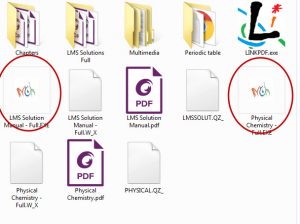
Click on either one of the MCH icons (circled in red)  and see the following:
Enter your license number found on your email notification: (please note the files take about 20 seconds to open)
Send questions to:
https://mchmultimedia.com/contact/